Import Categories
From the Category menu you can select "Import" to import categories from an import file.
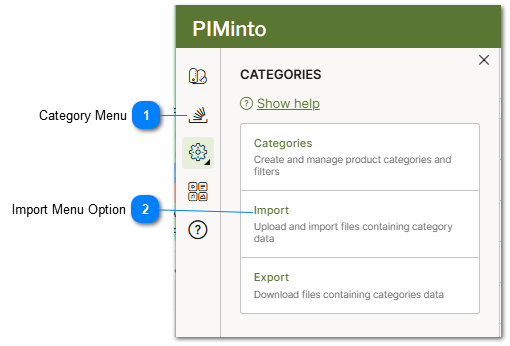
 Category Menu The categories menu opens the PIM menu dialog and displays all options related to Categories |
 Import Menu Option Select the menu Import option to import categories from an import file. |
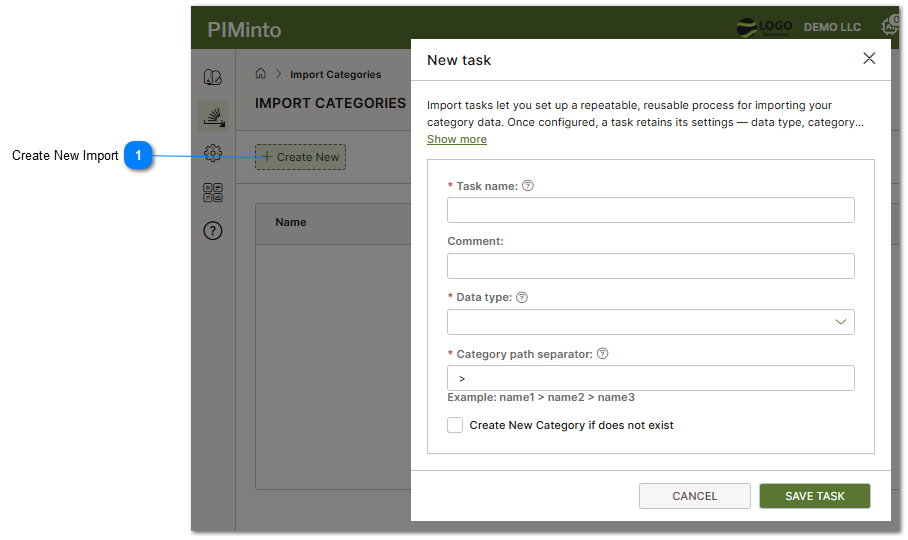
Create New Import Click on the Create New menu option to define a new category import task. The task must be defined and saved before it can be executed or run. |
Similar Topics:
For detailed information on defining an import task and the meaning of different options and settings that are available in the user interface, please refer to the Import Data topic.